🦞 Start Your OpenClaw Monorepo — Your AI Assistant Needs One
A personal take on applying monorepo principles to an AI-powered life workspace
 Jonathan Gelin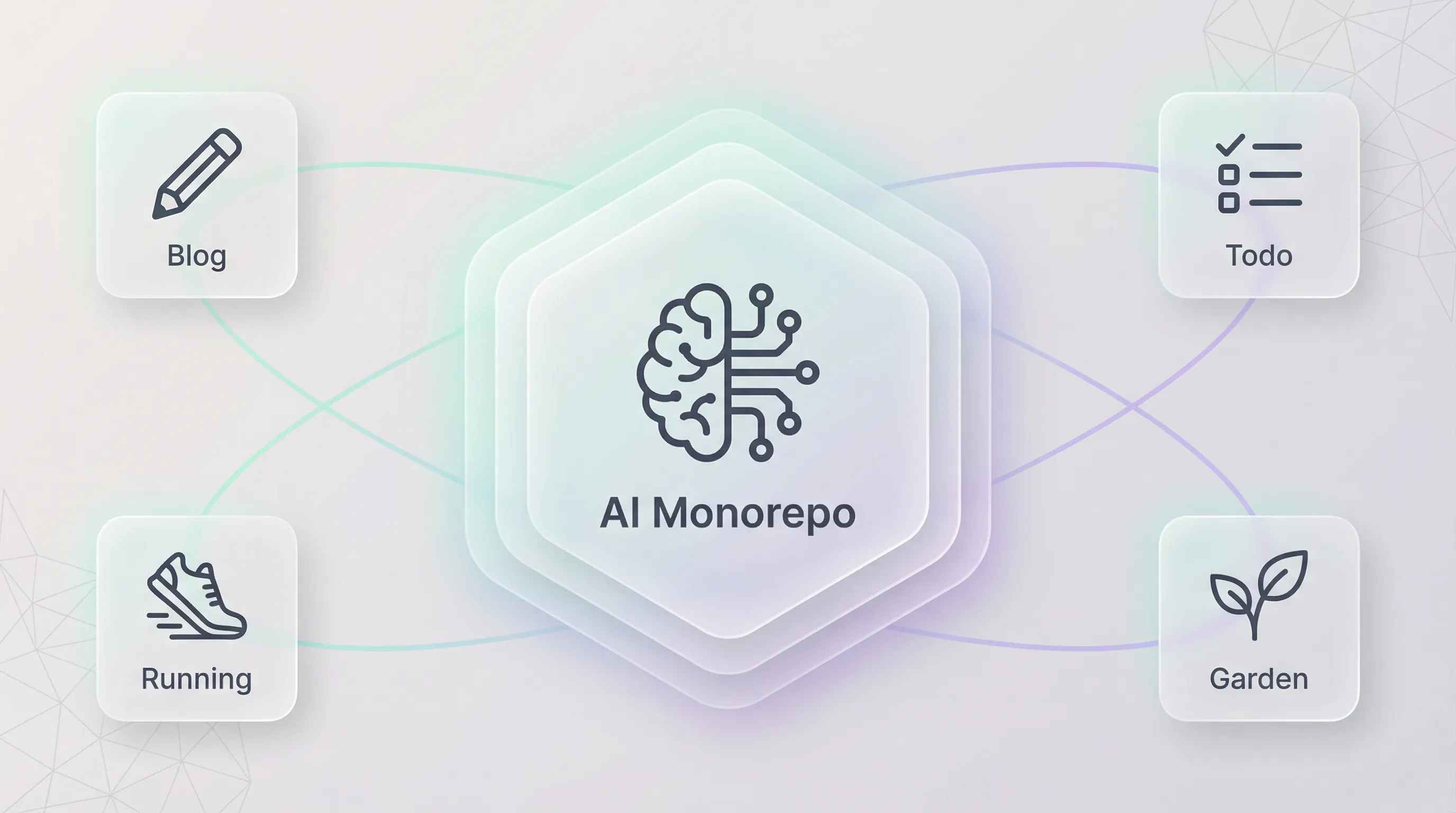
With the emergence of AI assistant tooling — OpenClaw, Claude Code, and other agentic coding tools — we’re starting to use them for everything. Not just professional work, but personal life projects too: managing a todo list, writing a blog, planning a garden, tracking training. It’s incredibly powerful — but after some time, things get complicated to manage.
It turns out that monorepo principles — the same ones used in enterprise software — can help here too. Conventions, project boundaries, shared infrastructure: these ideas aren’t just for large teams. They’re genuinely useful for structuring a personal AI workspace, even for side projects.
Here’s how I organized mine.
🤔 AI Assistants Make Everything Faster… Even the Mess
AI-powered tools make spinning up new projects trivially easy. But they also accelerate the mess.
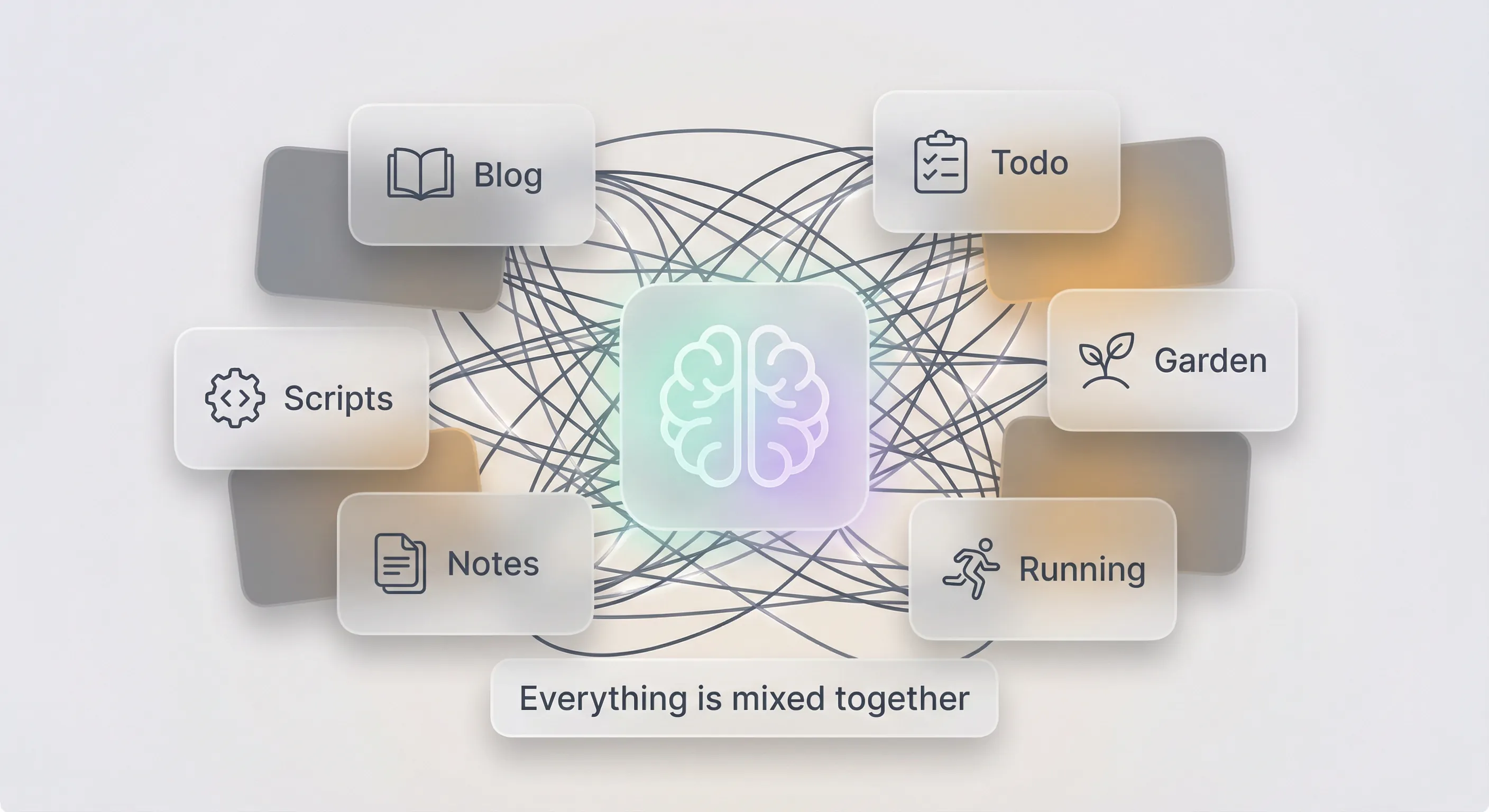
Without structure, everything is mixed together. Projects, memories, skills — all tangled in a single workspace with no boundaries.
Here’s what I ran into:
- Everything is mixed together — The AI loads context for all your projects in one session. Asking about your blog? It’s also thinking about your garden planting calendar. Asking about your todo? It’s loading your running training plan. Unrelated memories compete for attention.
- Token waste — Every session, your assistant loads context. When projects are scattered, it loads everything or nothing. There’s no way to say “just focus on this one project.” You’re burning tokens on irrelevant context.
- No reusability — You build a skill for one project (say, generating images for your blog). Another project needs images too. But the skill lives in a different repo, with different config. You end up rebuilding it.
- Lost context between sessions — AI assistants wake up fresh. Without a structured place to store memory, decisions, and project history, you’re explaining the same things over and over.
AI can absolutely help with maintenance — but only if there’s a structure in place first. Without it, everything gets mixed up very quickly. Projects pile on top of each other, context bleeds across unrelated tasks, and your assistant spends more time confused than productive.
🧠 A Monorepo Can Help
Monorepo principles can really help organize this. Structure, conventions, shared tooling and components, unified task execution, caching, project boundaries — these concepts translate directly to an AI workspace.
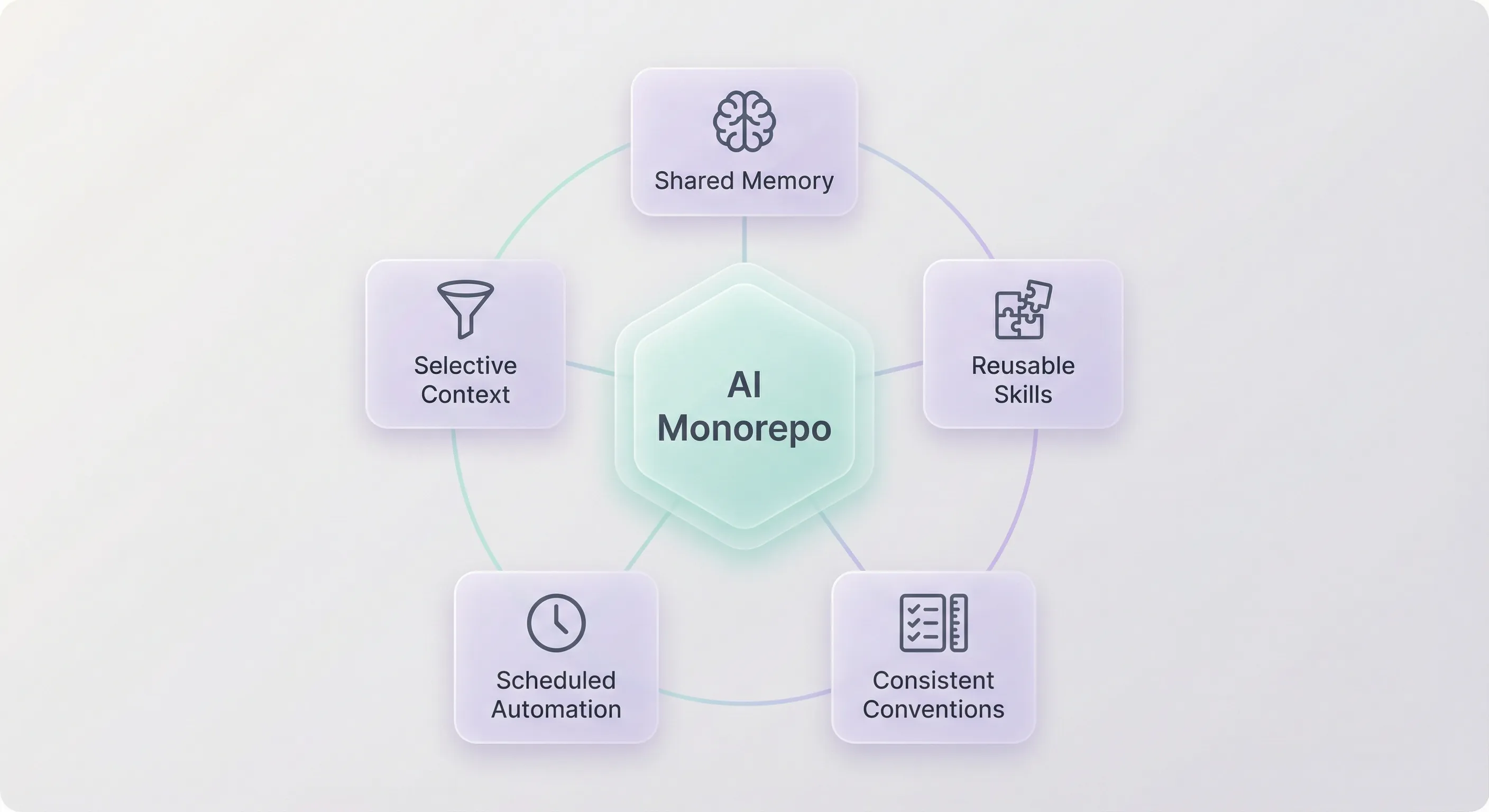
A monorepo gives your AI assistant a map — not just files. It knows where things are, what belongs to what, and how to navigate without loading the entire world into memory.
I found that the same philosophy applies really well to an AI workspace:
- Shared memory — One place for your assistant to read and write context across sessions
- Selective context — Each project has its own
.openclaw/config, so the assistant only loads what’s relevant to the current task - Reusable skills — Build a skill once (image generation, project scaffolding), use it across all projects
- Consistent conventions — Same structure everywhere means less confusion, faster onboarding for your AI
- Scheduled automation — Cron jobs that run across projects: reminders, periodic checks, daily briefings
🚀 Real Life Use Cases
Here are some examples of projects I am running today in my monorepo.
📝 Todo System
I am not using any external app anymore. Just the file system and let my OpenClaw do the job for me. I can just send a message on WhatsApp and tasks are created or completed. A morning cron reminds me what’s due.
💼 smartsdlc.dev — Portfolio & Blog
My personal website, living in the monorepo. The AI helps me implement the app and its design, write blog content with a consistent style guide, and generate a CV as PDF from structured data.
🏃 Trail Running — Training & Goals
I now use the monorepo to support my trail training and goals. Every morning, it reminds me what today’s workout is. Every evening, it loads my Strava data, analyzes the session, and adapts the training plan accordingly. It also helps with nutrition advice tailored to training load.
🌱 Potager — Garden Management
Planting calendar based on zone and season, daily reminders for garden tasks (watering, harvesting), seed inventory tracking. The AI cross-references weather forecasts and suggests companion planting.
The pattern is always the same: a project folder, an .openclaw/ config, project-specific skills, cron automations, and shared global skills. The details of each — skills, crons, data — live in the monorepo structure below.
📁 The Monorepo Structure
Here’s what the workspace looks like:
~/dev/life/
├── .openclaw/                        # 🧠 Global AI config
│   ├── AGENTS.md                     # How the assistant behaves
│   ├── SOUL.md                       # Personality & boundaries
│   ├── USER.md                       # About me
│   ├── MEMORY.md                     # Long-term memory
│   ├── HEARTBEAT.md                  # Periodic check config
│   ├── memory/                       # Daily notes & topic memories
│   │   ├── 2026-01-30.md
│   │   └── ...
│   ├── crons/                        # ⏰ Global cron definitions
│   │   └── morning-briefing.md       # Daily briefing (calendar + weather + tasks)
│   └── skills/                       # Global skills (shared across projects)
│       └── add-project/              # 🆕 Scaffold a new project in the monorepo
│
├── projects/
│   ├── todo/                         # 📝 Todo system
│   │   ├── .openclaw/
│   │   │   ├── AGENT.md
│   │   │   ├── crons/
│   │   │   │   └── rappel-matin.md   # Daily 7:30 AM — WhatsApp todo reminders
│   │   │   └── skills/
│   │   │       └── todo/             # Parse, update, manage tasks in TODO.md
│   │   └── data/
│   │       └── TODO.md               # Task list (pending + completed)
│   │
│   ├── pro/                          # 💼 Professional projects
│   │   ├── .openclaw/
│   │   │   ├── AGENT.md
│   │   │   └── skills/
│   │   │       ├── write-blog-article/  # Draft & edit articles with style guide
│   │   │       ├── blog-images/         # Generate images via Gemini API
│   │   │       └── cv-pdf/              # Generate CV as PDF from structured data
│   │   ├── data/
│   │   │   └── content-backlog.md    # Article ideas & backlog
│   │   └── apps/
│   │       └── smartsdlc/            # Website source code
│   │           └── src/
│   │
│   ├── running/                      # 🏃 Trail running tracker
│   │   ├── .openclaw/
│   │   │   ├── AGENT.md
│   │   │   ├── crons/
│   │   │   │   ├── morning-workout.md   # Daily AM — today's workout reminder
│   │   │   │   └── evening-strava.md    # Daily PM — load & analyze Strava data
│   │   │   └── skills/
│   │   │       ├── training-plan/       # Generate & adapt weekly training plans
│   │   │       ├── nutrition/           # Nutrition advice for training load
│   │   │       └── strava-analysis/     # Analyze Strava activities & trends
│   │   └── data/
│   │       └── training-plan.md      # Current training plan & history
│   │
│   └── potager/                      # 🌱 Garden management
│       ├── .openclaw/
│       │   ├── AGENT.md
│       │   ├── crons/
│       │   │   └── garden-tasks.md      # Daily — watering & harvest reminders
│       │   └── skills/
│       │       └── planting-calendar/   # Seasonal planting by zone & weather
│       └── data/
│           └── tasks.md              # Garden tasks & planting calendar
│
├── nx.json                           # ⚡ Nx workspace config
├── package.json                      # Root dependencies
└── .github/workflows/ci.yml         # 🚀 Build & deploy all projects
Every project follows the same convention:
projects/[name]/.openclaw/AGENT.md— Project-specific context for the AIprojects/[name]/.openclaw/skills/— Skills that only make sense for that projectprojects/[name]/.openclaw/crons/— Cron definitions for that project, loaded dynamically by OpenClawprojects/[name]/data/— Each project owns its dataprojects/[name]/apps/— Applications for that project (website, dashboard, etc.)
The root .openclaw/ holds everything global: memory, identity, shared skills, global crons, and heartbeat config. OpenClaw discovers and loads project skills, crons, and memory by scanning the projects/ directory structure.
🔑 Why This Structure Matters
Selective Context
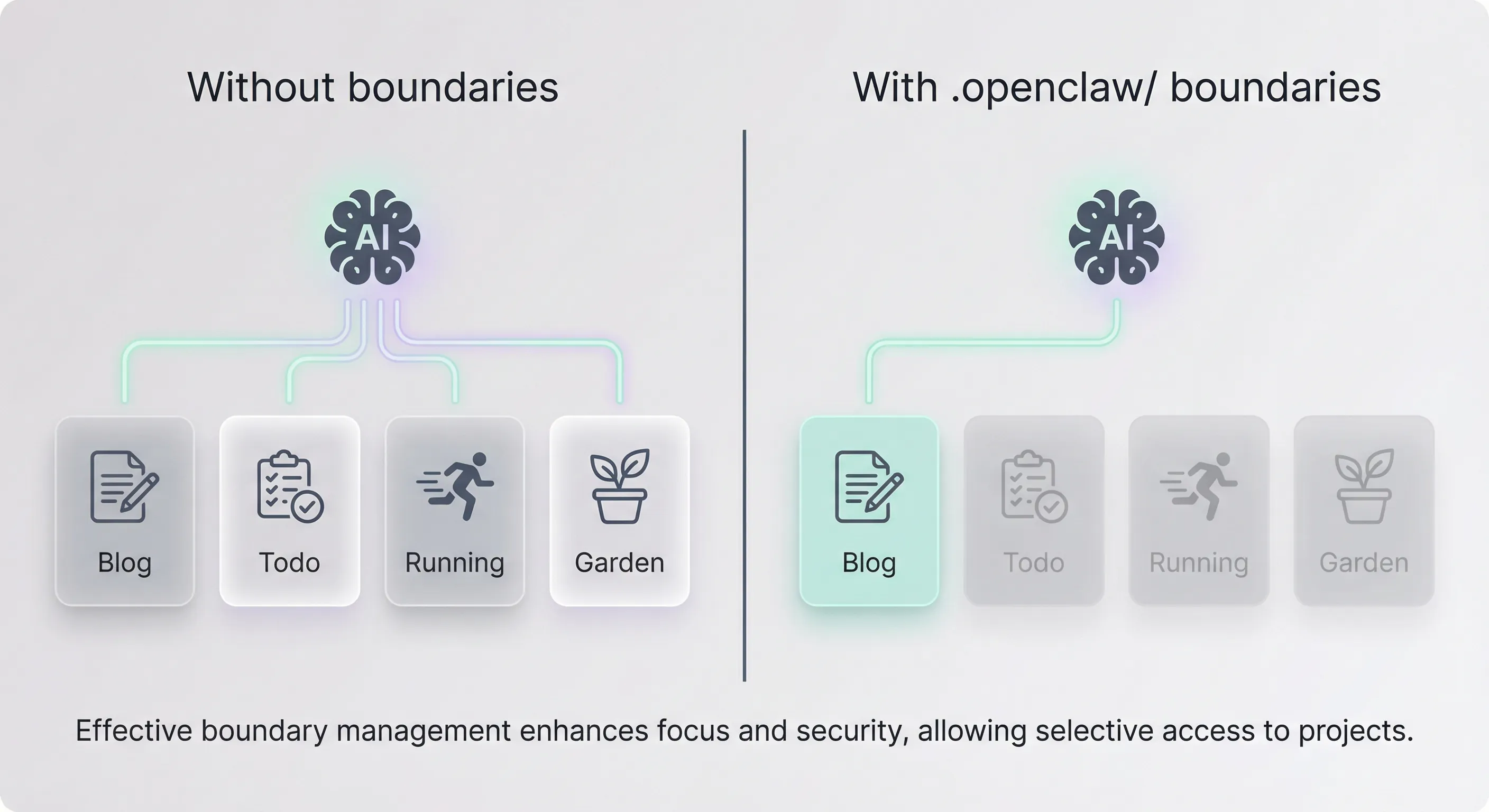
Selective context — the AI loads only the relevant project, keeping noise out and tokens low.
When I ask my AI about garden tasks, it loads the potager project context — not my blog writing style guide. When I work on a blog article, it loads the writing skills and design system — not my planting calendar.
In a scattered setup, the AI loads everything or guesses what’s relevant. In a monorepo with .openclaw/ boundaries, it navigates straight to the right context. Less noise, better answers, fewer tokens.
Composable Skills
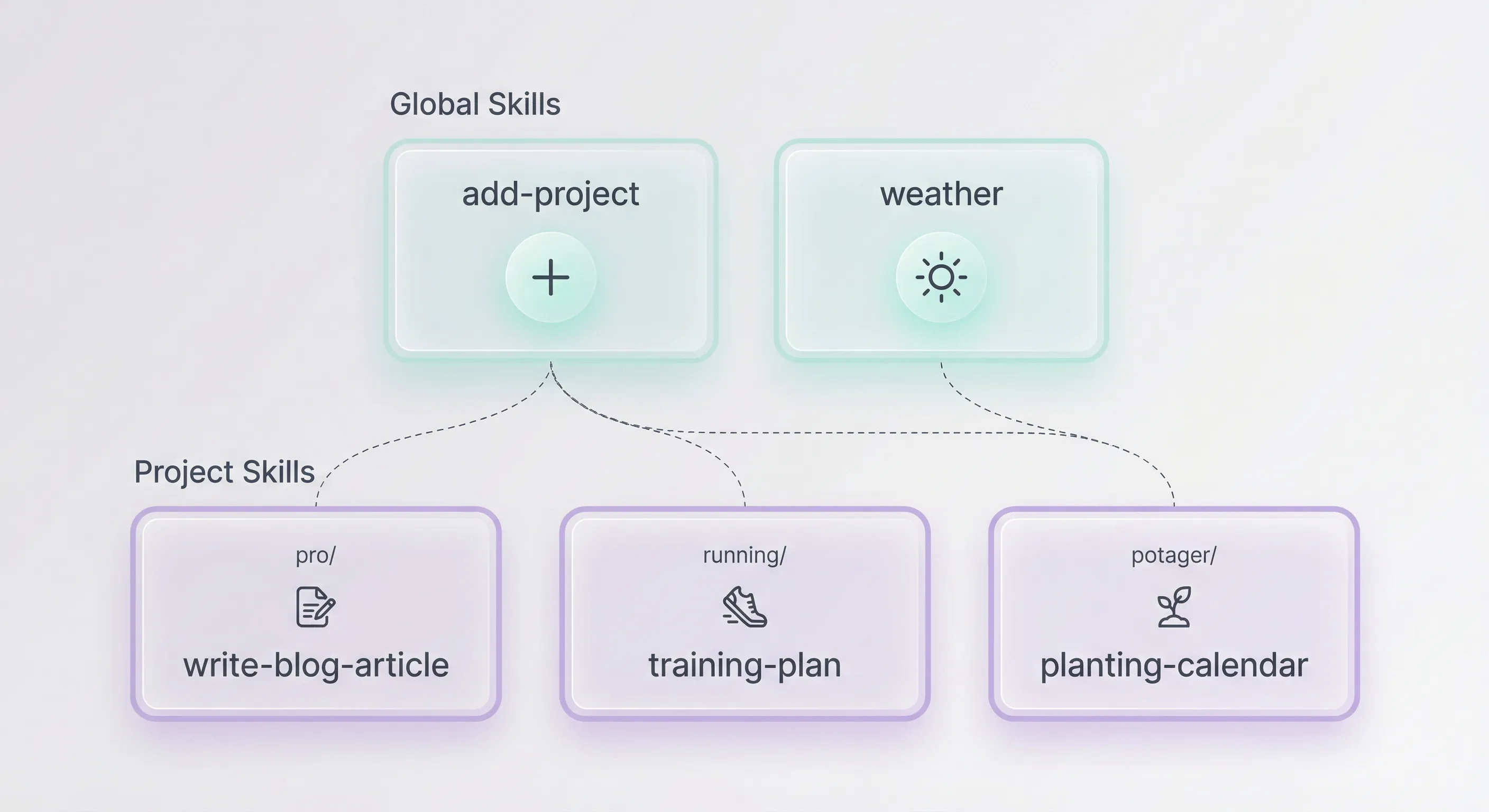
Global skills are shared across projects. Local skills stay where they belong.
Global skills work everywhere. The add-project skill, for example, helps scaffold a brand new project in the monorepo — it asks about the project name, whether an app is needed, what skills and crons to set up, and generates the full structure following the conventions. That way, every new project starts right.
Project skills stay local. write-blog-article only makes sense for smartsdlc. training-plan only makes sense for running. No contamination between projects.
Cron: Your AI on Autopilot
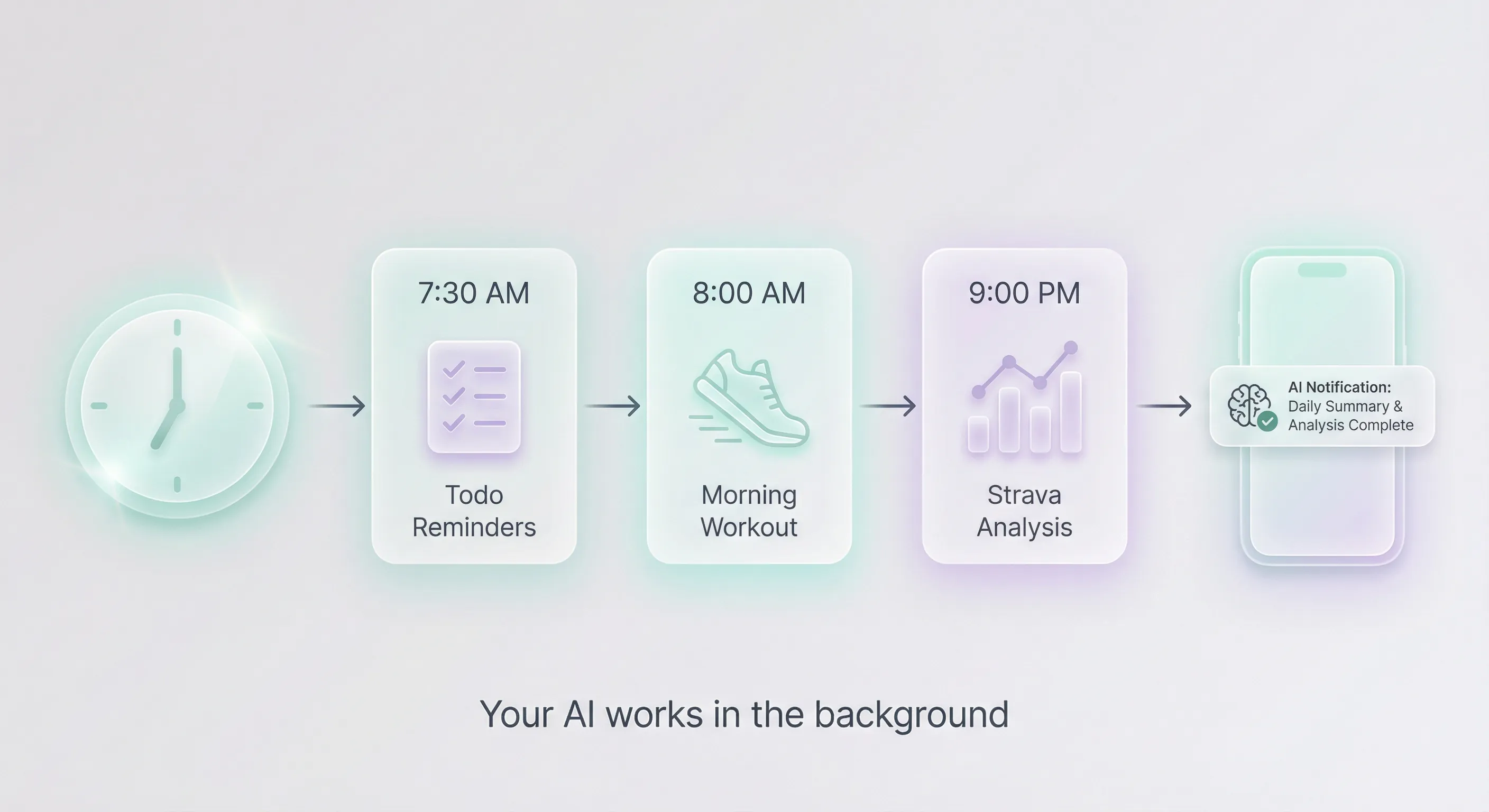
Cron turns your AI from a passive tool into an active assistant that works in the background.
Each project declares its own crons in .openclaw/crons/, and OpenClaw loads them dynamically. This turns a passive workspace into an active assistant:
- Todo reminders — Daily 7:30 AM WhatsApp notification of overdue and due-today items
- Morning workout — Today’s training plan pushed to your phone
- Evening Strava sync — Load and analyze the day’s activity, adapt the plan
- Garden alerts — Watering reminders based on weather forecast
Without cron, your AI only works when you talk to it. With cron, it works for you in the background.
Nx Ties It All Together
With Nx managing the workspace, you get affected analysis (only build what changed), caching (unchanged projects use cached results), a project graph (Nx understands dependencies), and one CI pipeline for all projects.
🙂 Last Thoughts
I found that AI assistants can genuinely help manage parts of our lives — but only if we give them the right structure. A scattered collection of repos and notes is like giving a new team member access to a shared drive with no folder structure and saying “figure it out.”
For me, a well-structured monorepo became the operating system for my AI assistant. It’s where memory lives, skills are stored, projects are organized, cron keeps things moving, and Nx ensures builds stay fast.
What I’ve taken away from this:
- AI makes starting easy, but the mess grows fast too — Having a structure in place early made all the difference for me.
- Selective context saves tokens and improves quality —
.openclaw/boundaries mean the AI loads only what’s relevant. - Skills are composable — Build once at the global level, specialize at the project level.
- Cron turns passive context into an active assistant — Reminders, briefings, and automations run without you asking.
- Nx handles the build complexity — Affected analysis, caching, and one CI pipeline for all projects.
If you’re already using Nx for your team’s monorepo, you already know the philosophy: conventions matter, boundaries matter, automation matters. I found that applying the same thinking to a personal AI workspace works surprisingly well.
Want to go further?
If you're looking to improve your Developer Experience, build AI Frameworks, or optimize your CI/CD pipelines with Nx, feel free to reach out — I'm always happy to share real-world setups and practical tips.

Build on Foundations,
Scale with AI.
I design AI-powered workflows and engineering foundations that make teams faster, happier, and more consistent.